Personal Access Tokens
Personal Access Tokens (PATs) are long-lived credentials that authenticate requests to TrustRelay outside of the browser session. They are required for:
- Connecting AI agents and tools via the MCP server
- Programmatic API access from scripts, CI pipelines, or backend services
PATs are scoped to the user who created them and are never stored in plaintext — only a hint (last few characters) is retained after creation.
Creating a PAT
Go to User Settings → Developer in the TrustRelay UI, or call the API directly:
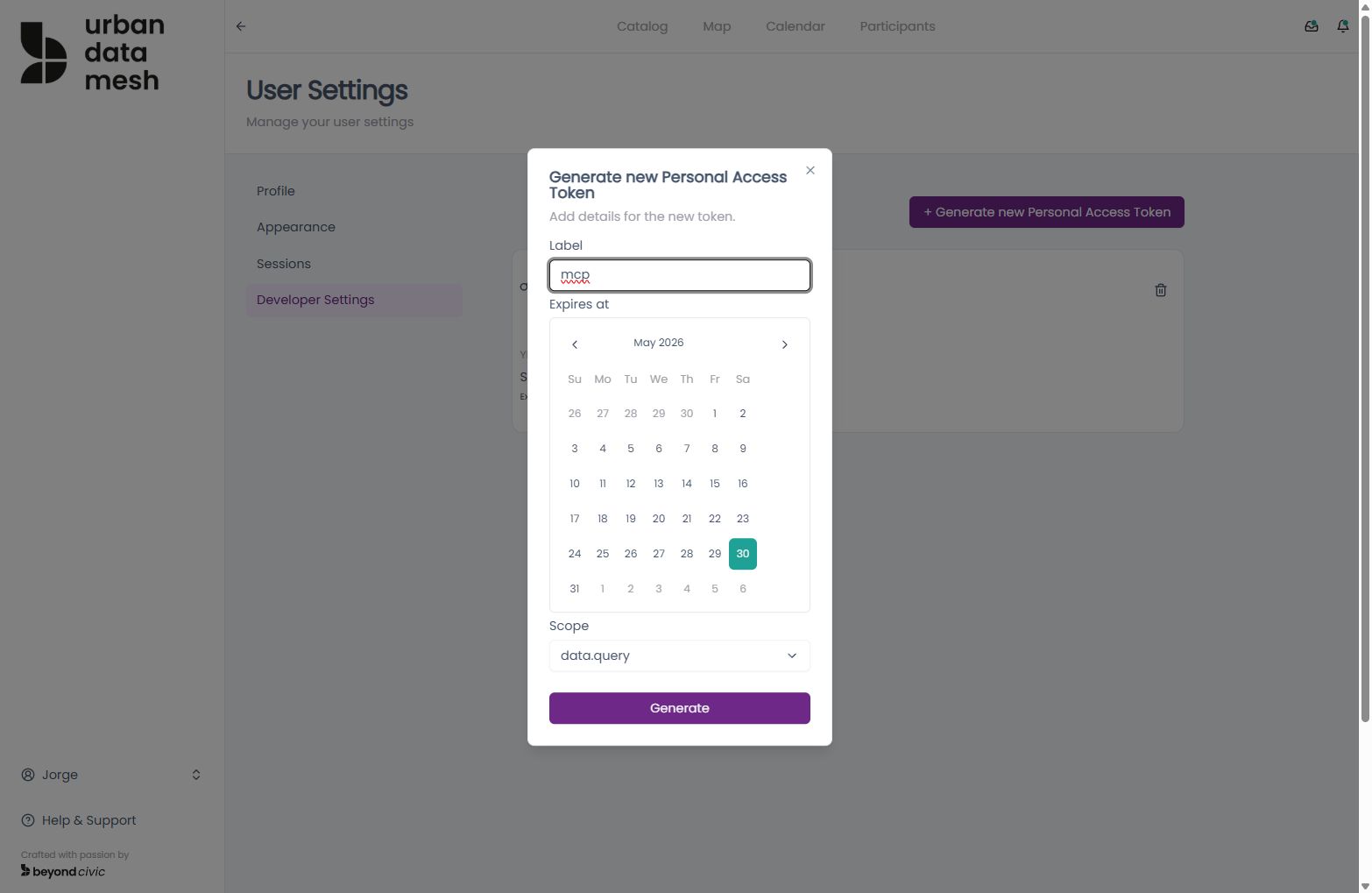
POST /api/user/personal-access-tokens
Content-Type: application/json

{
  "pat_name": "my-mcp-agent",
  "pat_scope": "mcp"
}
Response:
{
  "value": {
    "pat_id": "uuid",
    "pat_name": "my-mcp-agent",
    "pat_hint": "...xyz",
    "pat_scope": "mcp",
    "created_at": "2026-04-07T00:00:00Z",
    "expires_at": "2027-04-07T00:00:00Z"
  }
}
The full token value is only returned once at creation time. Copy and store it securely — you cannot retrieve it again.
Listing PATs
GET /api/user/personal-access-tokensReturns all active PATs for the current user. The response includes the pat_hint for identification, but never the full token.
Revoking a PAT
DELETE /api/user/personal-access-tokens/{patid}Revocation takes effect immediately. Any in-flight MCP sessions authenticated with the revoked token will be terminated on their next request.
Using a PAT
PATs are used as Bearer tokens in the Authorization header. This applies to all MCP endpoints and any API call that needs to bypass the browser session mechanism.
Authorization: Bearer <your-pat-here>MCP connection example
POST /mcp
Authorization: Bearer tr_pat_xxxxxxxxxxxxx
Content-Type: application/json
See MCP Integration for full connection details.
Security best practices
- Treat PATs like passwords. Store them in secrets managers (AWS Secrets Manager, GitHub Actions secrets,
.envfiles that are git-ignored). - Use descriptive names. The
pat_nameappears in the developer UI — use names like"ci-pipeline"or"claude-mcp"so you know what each token is for. - Rotate regularly. Delete and recreate PATs on a schedule or whenever team members leave.
- One token per integration. Give each tool its own PAT so you can revoke it individually without affecting other integrations.
- Check expiry. PATs expire after 365 days by default. Plan for rotation before the expiry date.